The software that runs on the screen.
The Lumina player turns a display into a managed screen: it pairs with your account, plays what you publish, keeps playing when the network drops and reports its health to Pulse. It runs on Android today, with Linux, webOS and Tizen on the way.
Platform status
| PLATFORM | STATUS | TYPICAL HARDWARE |
|---|---|---|
| Android | Available now | Android 8.0+ displays and media players. Tested on the Lumina Android player; other devices validated on request. |
| Linux | Coming | Linux media players and small-form-factor PCs |
| webOS | Coming | LG commercial displays with webOS |
| Tizen | Coming | Samsung commercial displays with Tizen |
| Multi-output / video wall | Coming | Several outputs or a video wall driven as one canvas |
“Coming” means in development. We’ll publish supported devices for each player when it ships.
The Android player
Install it on an Android-based display or media player and the screen becomes part of your Lumina fleet. Everything it needs to stay up runs on the device itself.
Pair by code
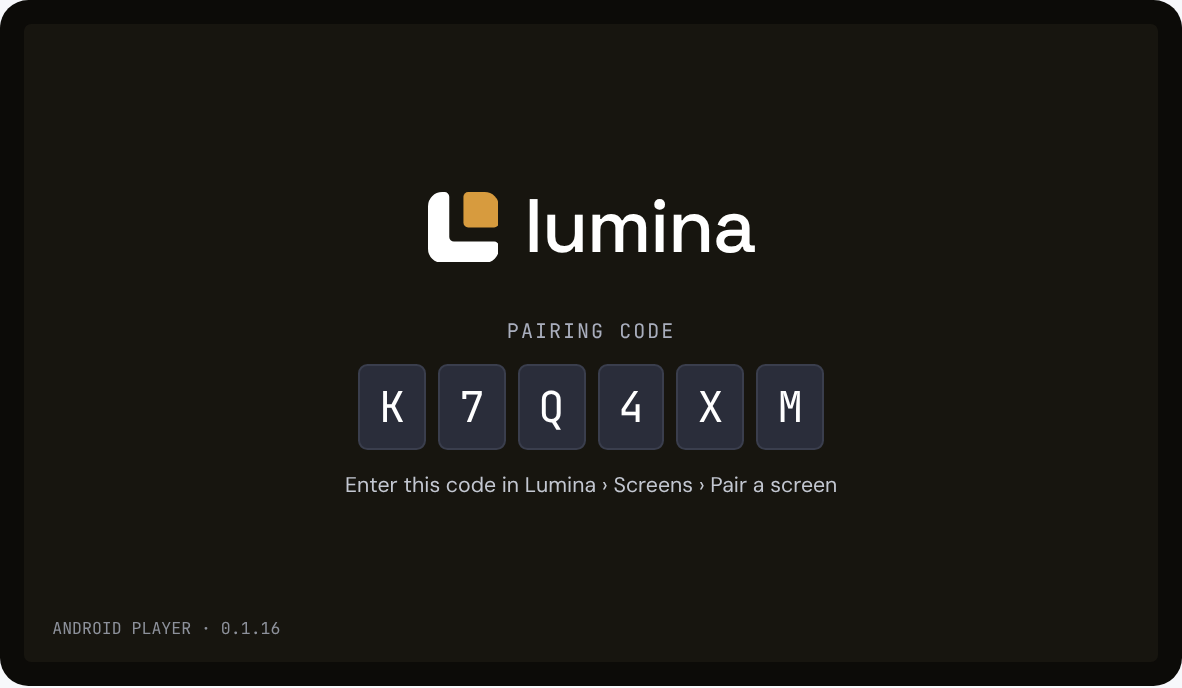
The player shows a short code on screen. Enter it in Lumina, pick the site, and the screen is yours. No typing passwords on a remote.
Its own credentials
Once paired, each player authenticates with its own secure device credentials rather than a shared login.
Signed, staged OTA
Player updates arrive over the air as signed releases and roll out in stages across your fleet.
Plays from cache
Layouts and media are stored on the device. If the network drops, playback continues and changes sync when it’s back.
From box to playing screen
Install the player
Install the Lumina player APK directly on the device, or provision it through your device management. It isn’t on Google Play yet.
Open it on the screen
The player starts and shows a pairing code.
Pair it in Lumina
In Screens, choose Pair a screen, enter the code and assign a site.
Publish a layout
Send a layout to the screen. The player downloads it, caches it and starts playing.
Requirements
- INSTALLATION
- Android APK, sideloaded or provisioned through device management. Not on Google Play yet. Later updates arrive over the air from the Lumina CMS as signed releases.
- ANDROID VERSION
- Android 8.0 (API 26) or later
- TESTED DEVICES
- Lumina Android player and the Android emulator. Other devices are validated on request.
- STORAGE
- An 8 GB or 16 GB device, with at least 4 GB free for cached media
- NETWORK
- Outbound HTTPS (port 443) to the Lumina CMS: luminacloudos.com for Cloud, or your own server for On-premise. No inbound ports. YouTube and Canva zones also need HTTPS access to those services.
- ORIENTATION & RESOLUTION
- Landscape or portrait. Layouts use a canvas of any size; common targets are 1920 × 1080 and 3840 × 2160, and custom resolutions can be set.
Coming to more screens
These players are in development and not yet available. Each one will work with the same CMS, Layout Studio and Pulse you use today. Tell us which platforms you run and we’ll keep you posted.
Linux
A player for Linux-based media players and small PCs, for installations that standardise on Linux.
Register interest →webOS
A native player for LG commercial displays, so no external media player is needed.
Register interest →Tizen
A native player for Samsung commercial displays, running directly on the screen.
Register interest →Multi-output / video wall
One layout across several outputs or a video wall, managed as a single canvas.
Register interest →Choosing hardware for a reliable screen
Most signage problems start with the setup, not the content. A few choices up front save site visits later.
Use commercial-grade displays
Consumer TVs aren’t designed for long daily hours. Check the panel’s rated operating hours against your schedule.
Prefer wired networking
Ethernet is more predictable than Wi-Fi in busy buildings. Where Wi-Fi is the only option, check signal at the mounting point.
Leave room for cached media
Players keep content locally so they can ride out outages. Choose storage with headroom for your largest playlists.
Plan power and mounting together
Make sure the player is powered with the display and can’t be switched off by accident at a wall socket.
Note what’s installed, per site
Record models and locations as you pair screens. It makes support calls and replacements much faster.
Already have screens installed?
Send us the display and media player models. We’ll tell you what runs Lumina today and what’s on the way.